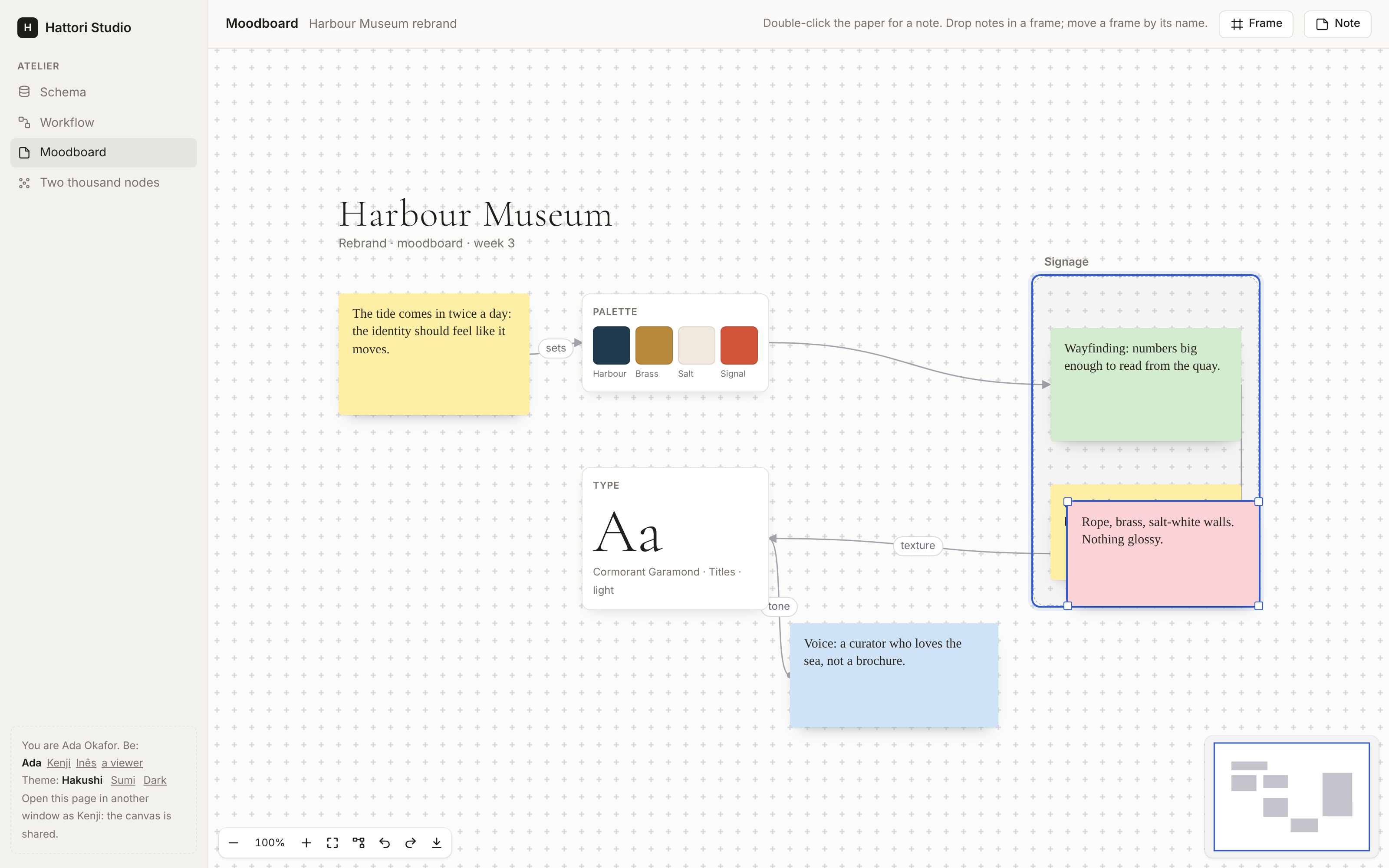
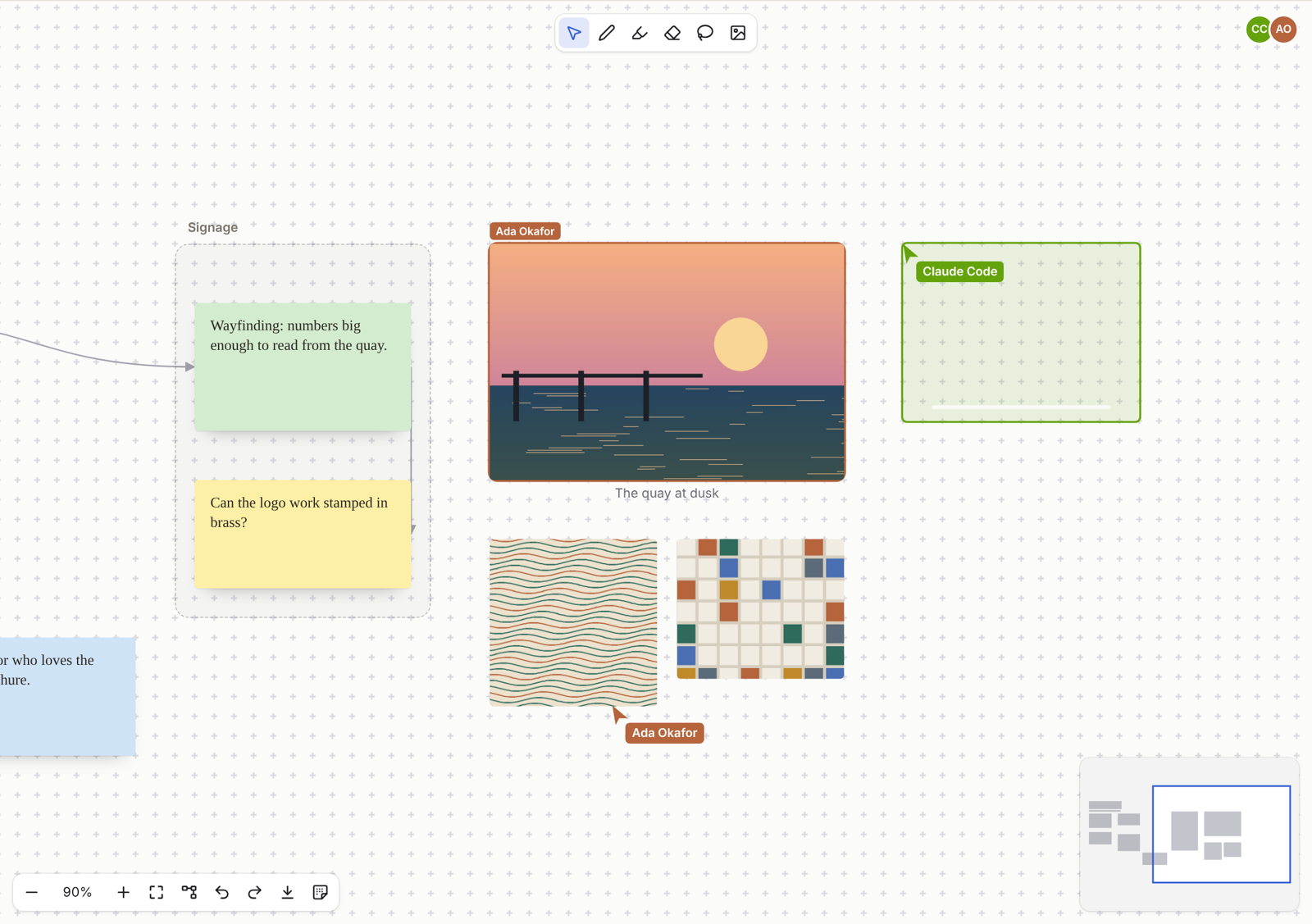
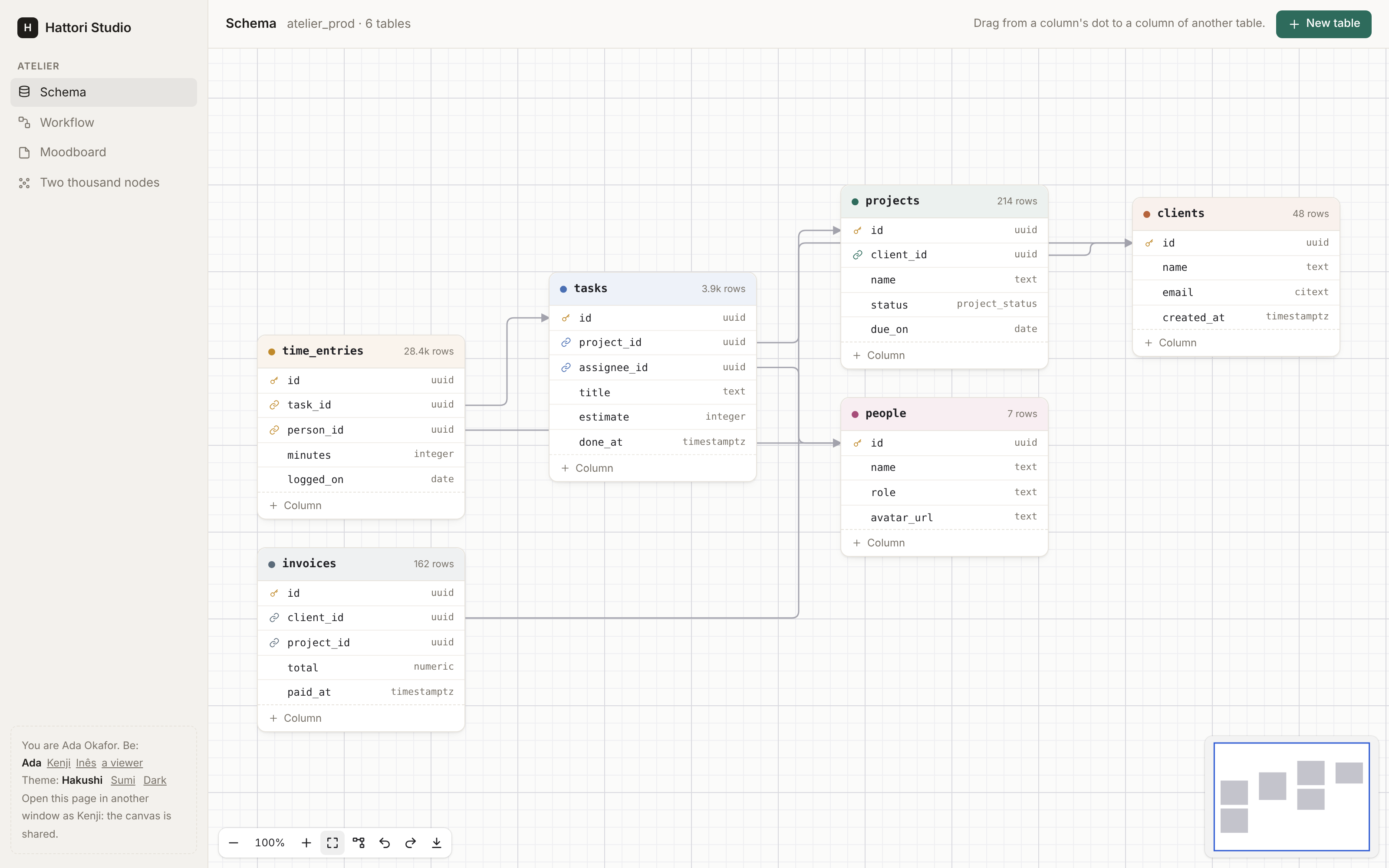
Everything the canvas does, in one table. Each guide tells more.
| Paper | dots, lines (graph paper, with a stronger line every five squares), crosses, none, or a paper of your own; the size of a square; snap to the grid; a picker for people (papers), whose choice is the graph's, shared and undone as any change |
| View | pan with the wheel or a trackpad, Space and a drag, the middle button, one finger; zoom with ⌘ or Ctrl and the wheel, a pinch, the controls, + and -; fit (⇧1), 100% (⇧0); an overview (minimap) to click and drag |
| Nodes | your own HEEx, a :node slot for each type; drawn from the node's data, on the server; locked nodes; resized by their corners (resizable); a part of a node to drag it by (data-hakushi-drag), and fields and buttons in it that are theirs |
| Handles | sources, targets or both, on any side of the node or of any element in it (a row of a table); several with one id, of which an edge takes the nearest; type, accepts and max |
| Edges | bezier, smooth, step, straight; an arrow, a dot or no end; a label, set with a double click; animated; selected and deleted |
| Drawing | from a handle to a handle, the handles it may end on shown; from a target backwards; dropped on a node, to its nearest valid handle; the end of a selected edge dragged to another handle |
| Groups | nodes of a group slot hold others (parent): a drop on one puts a node in it, a drag off takes it out; its nodes move, are copied and go with it; groups in groups; a box drawn inside a group selects in it |
| Kits | optional kinds of canvas in one line (kits={[Hakushi.Kits.Schema]}): Schema (tables, typed columns, keys, foreign keys), Flow (triggers, steps, conditions), Notes (sticky notes), Ink (a pen, a highlighter, an eraser and a lasso, over anything on the canvas), Shapes (rectangles, ellipses, diamonds, triangles, text and lines, styled, turned, written in), Images (dropped, pasted or picked, uploaded through your app's store, cropped and captioned), or your own (Hakushi.Kit); the canvas draws, makes and edits their nodes; their paper and rules; Markdown (Mermaid) and back |
| In a page | an embed frame (canvas_embed/1) with a title, the kits' items and full screen; wheel={:scroll} for a page that scrolls, refit for a box that changes size; a canvas in a Kotoba document |
| Layout | a tidy up (⇧L, the controls, Hakushi.Live.layout/2): in layers from left to right or top to bottom (fewer crossings, each node level with its neighbours), spread out by forces, or in a grid, chosen in a menu; parts packed to the screen's shape; of the selection or of every node; animated; one change. A canvas that tidies as it opens (tidy), opens at a readable zoom (fit={:readable}), and that people only arrange (readonly={:arrange}) |
| Export | the whole canvas as a PNG or an SVG, the nodes as the page draws them (the controls, Hakushi.Live.export/2, exportImage()) |
| Selection | a click, Shift or ⌘ and a click, a box on the paper, ⌘A, Escape |
| Moving | a drag, of every selected node; helper lines that line a node up with the others (Alt to drag freely); the arrow keys, Shift for ten |
| Changes | moves, resizes, edges, deletes (with their edges), labels, copy and paste, duplicate, items dragged from outside the canvas (canvas_item/1) or a double click on the paper (new_node); undo and redo of each person's own changes, checked again |
| Server | on_change for each change, with the graph before and after it and the person; the rules (loops, duplicates, cycles); a refused change taken back, its reason shown; the app's own changes (Hakushi.Live.change/2, Hakushi.Issho.change/4) |
| Shared | issho={[instance: MyApp.Issho, document: id]}, on Issho: one room for each canvas (in a cluster too), your policy asked for every change, changes in one order for everyone, the people with their avatars, cursors, selections and drags in their colours; each change an event of the room, for agents and your app; Issho's comments on its nodes, said by name |
| Keyboard | Tab and Shift+Tab from node to node, Alt and an arrow to the nearest node that way, Enter into a node's fields and Escape out, C to connect with the arrows and Enter |
| Screen readers | the canvas, its nodes and their connections, named; the moves, selections, connections and refusals said in a live region |
| Scale | nodes and edges sent as LiveView streams: a change sends what it touches; the nodes and edges far from the screen are not laid out or painted |
| Storage | Hakushi.Graph.Type, a whole canvas in one column (jsonb); or your own tables, with on_change |
| Theming | CSS custom properties, the Sumi theme, dark mode, forced colours, reduced motion |
| Words | the canvas's own words in English, Portuguese, Spanish, French, German and Japanese |