
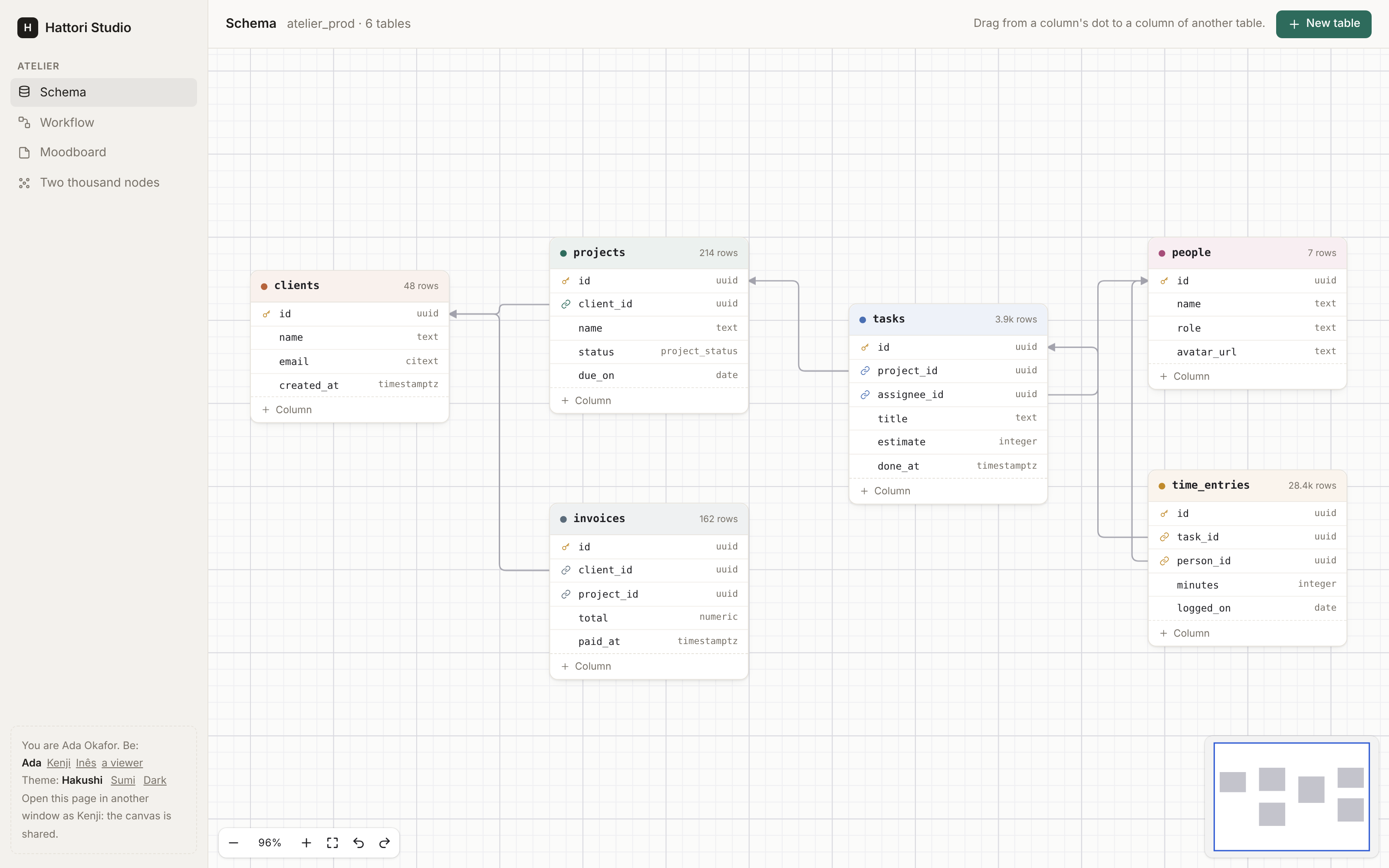
A canvas for Phoenix LiveView: nodes and edges on an endless sheet that people pan and zoom.
Database schemas, workflows, moodboards, mind maps, org charts. You draw each node in your own HEEx. People connect them. Your server checks and saves each change. With Issho, many people can edit one canvas at the same time.
Hakushi (白紙) means "a blank sheet of paper". The JavaScript comes prebuilt in the Hex package, so your app does not need Node.js for it.
Install
You need Elixir 1.18+, Phoenix 1.7.14 or 1.8, and Phoenix LiveView 1.1+.
With Igniter, one command adds Hakushi and sets it up. It shows each change and asks before it writes:
mix igniter.install hakushi
Without Igniter
Add `{:hakushi, "~> 0.6"}` to the deps in `mix.exs`, then run: ```sh mix deps.get mix hakushi.install ``` The installer adds the hook to `assets/js/app.js` and the style sheet to `assets/css/app.css`. Use `--dry-run` to see the changes first. Then import the components yourself (see [Your first canvas](#your-first-canvas)). To make the same changes by hand, import the hook in `assets/js/app.js` and add it to the `LiveSocket`: ```js import { Hakushi } from "hakushi" const liveSocket = new LiveSocket("/live", Socket, { params: {_csrf_token: csrfToken}, hooks: {...colocatedHooks, Hakushi}, }) ``` Import the style sheet in `assets/css/app.css`, below the other `@import` lines. The Sumi theme is optional (Sumi is the design system of Hattori AI, the makers of Hakushi), and follows Sumi's seven themes and their accents: ```css @import "../../deps/hakushi/priv/static/hakushi.css"; /* @import "../../deps/hakushi/priv/static/hakushi-sumi.css"; */ ``` `import { Hakushi } from "hakushi"` resolves through the `NODE_PATH` of your esbuild profile. It must include `deps/`, as the Phoenix generators set it.Your first canvas
Import the components in the html_helpers of your web module (Igniter
did this for you):
import Hakushi.ComponentsMake a graph of nodes and edges:
graph =
  Hakushi.Graph.new(
    nodes: [
      %{id: "a", type: "step", x: 0, y: 0, data: %{title: "Invoice paid"}},
      %{id: "b", type: "step", x: 300, y: 0, data: %{title: "Send a receipt"}}
    ],
    edges: [%{source: "a", target: "b"}]
  )
Show it. Each node type is a slot with your own markup and handles:
<.canvas id="flow" graph={@graph} on_change={&Flows.change(&1, &2, @flow)} class="h-[40rem]">
  <:node type="step" :let={node}>
    <div class="step">
      <.handle kind={:target} side={:left} />
      {node.data.title}
      <.handle kind={:source} side={:right} />
    </div>
  </:node>
</.canvas>
Check and save each change in on_change. Return an error to refuse the
change: the browser takes it back and shows the reason.
def change(%Hakushi.Change{} = change, %{result: graph, by: by}, flow) do
  if Flows.can_edit?(flow, by),
    do: Flows.save_graph(flow, graph),
    else: {:error, "You can look at this flow, not change it."}
end
Give the canvas a height. It fills the box you give it.
The Quickstart continues from here, with a full LiveView and storage.
What you get
- Your own nodes. HEEx, rendered on the server, with handles on the node or on any row in it. → Nodes
- Edges with rules. Bezier, steps or straight, with arrows and labels. Rules for loops, duplicates, cycles and handle types, checked in the browser and on the server. → Edges
- The server decides. Each move, edge, delete and paste goes through
on_changebefore people see it. → Changes - Shared canvases. Live cursors, selections and drags, and your policy for who may do what. → Collaboration
- Ready-made kits. Schema, Flow, Notes, Ink, Shapes and Images in one line, or kits of your own. → Kits
- Groups and frames, tidy up, and export as PNG or SVG. → Groups, Layout and export
- Keyboard and screen readers. The shortcuts of a design tool, and each node and connection announced. → Navigation, Accessibility
- Tests without a browser.
Hakushi.TestforPhoenix.LiveViewTest. → Testing
The full list is in Features.
Try the demo
mix setup
mix dev
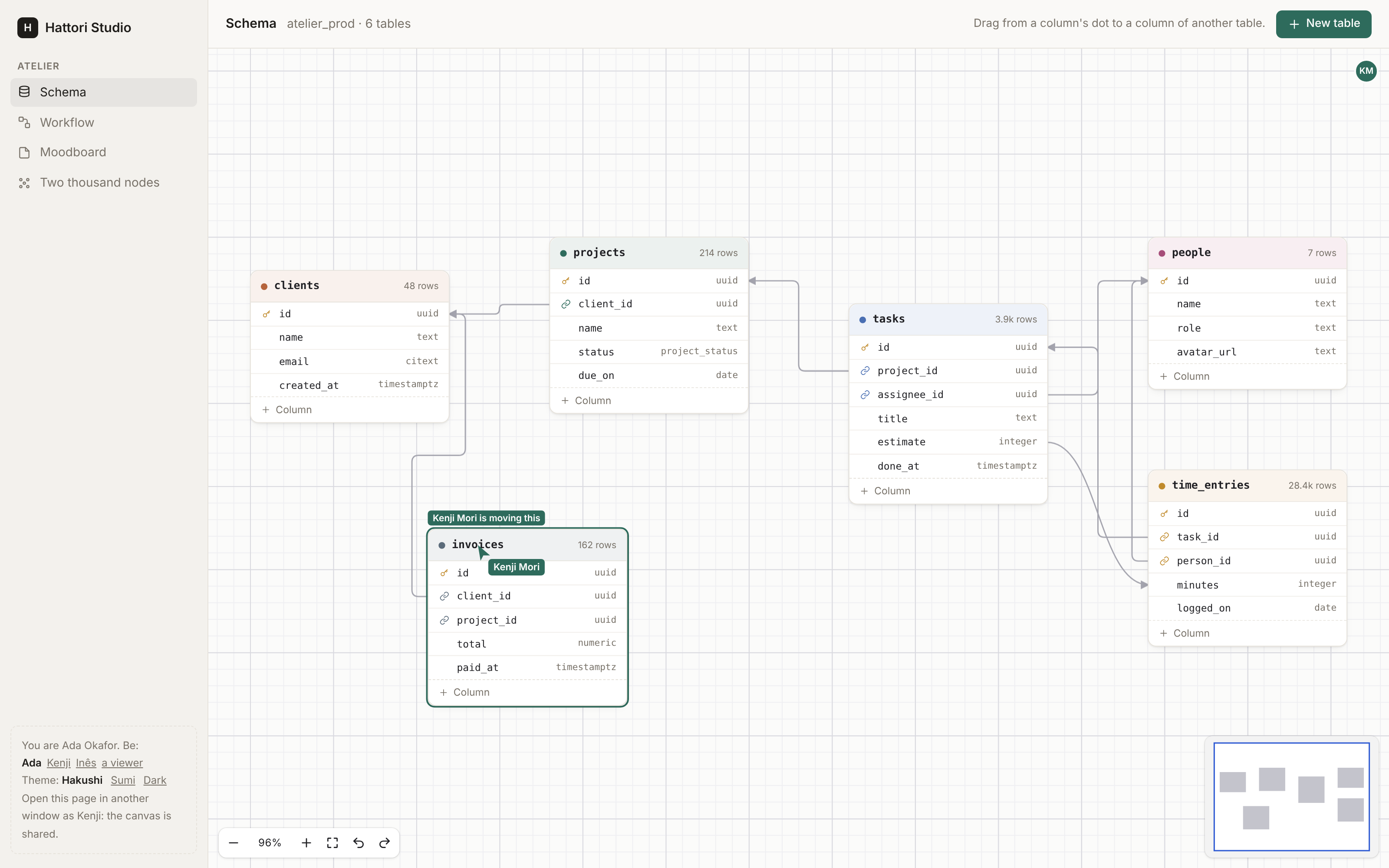
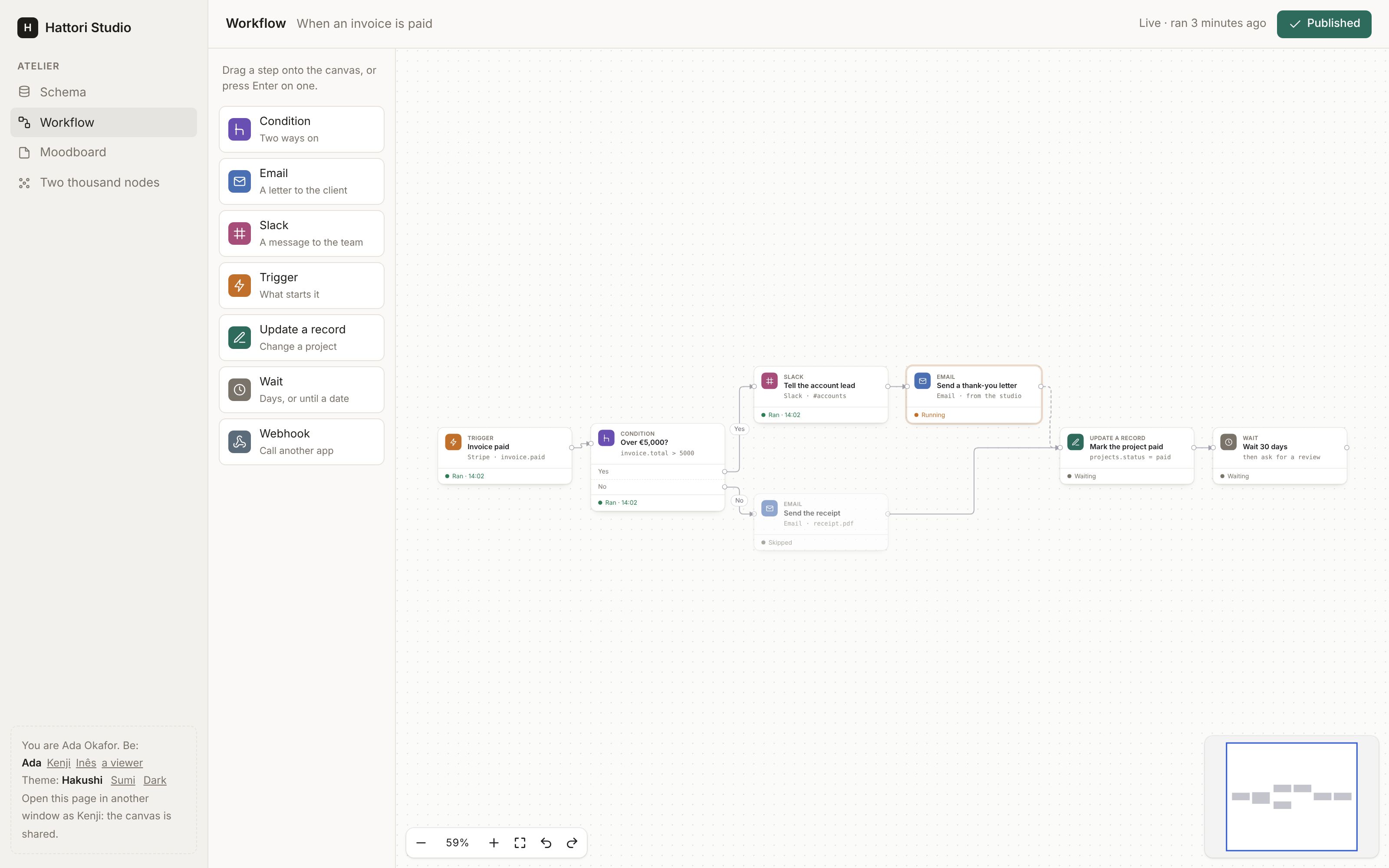
Open http://localhost:4099. The demo is a small project tool with four
canvases: a schema, a workflow, a moodboard, and two thousand nodes
(?n=10000 for more). Open a second window as Kenji (the panel at the
bottom left) to edit the schema or the workflow together.
Guides
Quickstart · Nodes · Edges · Groups · Kits · In a page · Layout and export · Changes · Collaboration · Navigation · Testing · Theming · Accessibility · Features · Known limits
Development
mix setup        # deps, and the npm packages of assets/ and e2e/
mix dev          # the development app at http://localhost:4099
mix test         # the Elixir tests
mix test.js      # the unit tests of the TypeScript modules
mix test.e2e     # the browser tests (Playwright) against the development app
See CONTRIBUTING.md before you open a pull request. Report security problems privately, as SECURITY.md says.
License
MIT. See LICENSE.